
Receive
Present a destination and payment request. Keep public receiving information clearly separate from private recovery material.
How the MultiBit desktop window is organized: where to find your balance, how the send and review screens separate preparing a payment from approving it, and what the status bar tells you.
The Receive screen shows the pattern used throughout the app: a label and optional amount on the left, the address and QR code beside them, and recent requests below so you can see which have been paid.
Navigation stays in a dedicated sidebar. Checking activity and preparing a payment remain distinct tasks, with fees and confirmations visible where they matter.
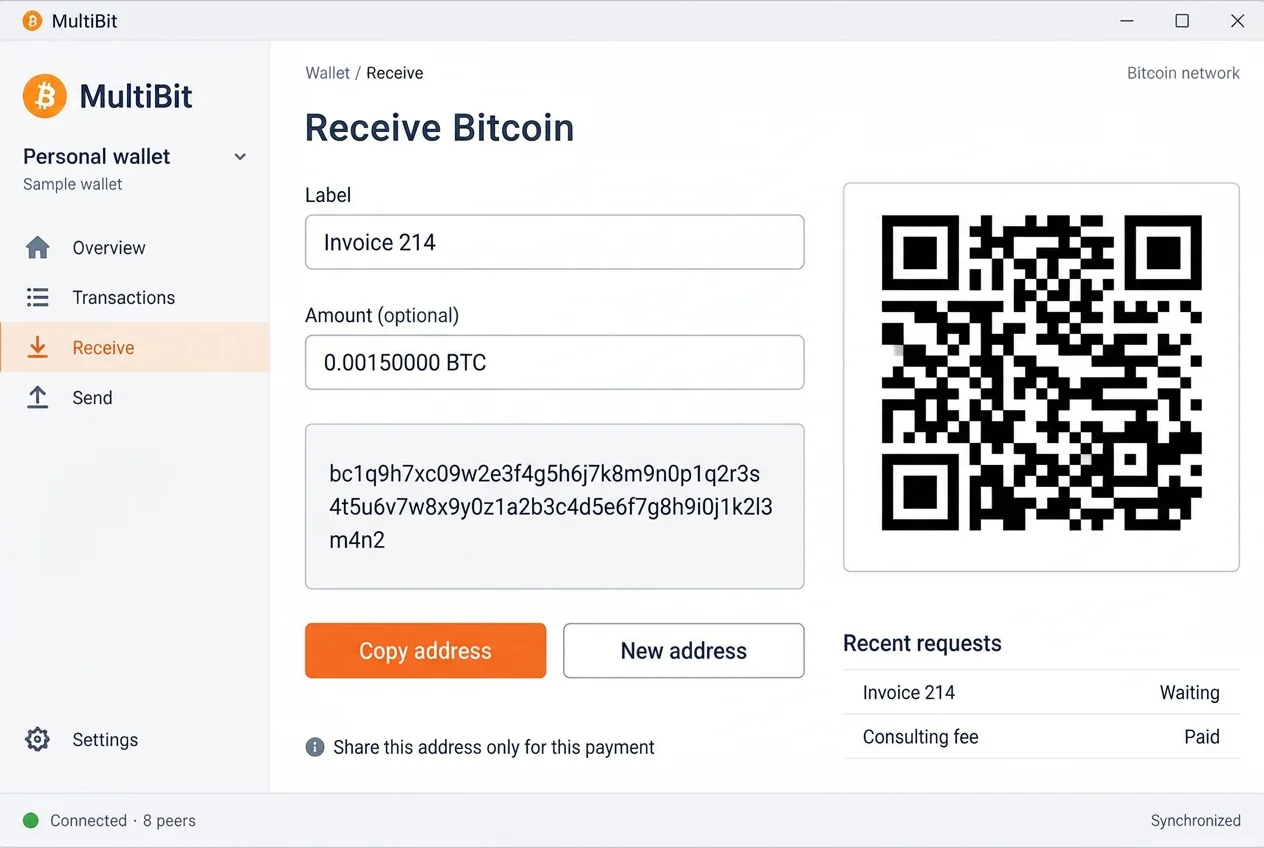
Each view answers a different question. These descriptions explain the proposed screen roles, rather than asserting release-specific menu names or controls.
Present a destination and payment request. Keep public receiving information clearly separate from private recovery material.
Bring the destination, amount, and fee together. Keep units visible while entering payment details.
Show the recipient amount, network fee, and total together before authorization. Checking a transaction is not the same as signing it.
Read incoming and outgoing transactions with their amounts and confirmation states. Open a payment to inspect its transaction ID.
Keep display preferences separate from key management and recovery actions. Exact options depend on the wallet release.
Show whether the wallet is connected and catching up. A current connection does not mean every payment is confirmed.
A number alone is not enough. Its unit, status, and source tell you what it means.
Confirmed and unconfirmed activity should be distinguishable. Do not treat an incoming notification as settled funds.
Check whether a value is in BTC or another display unit. A currency conversion is a display estimate, not the amount recorded by Bitcoin.
The network fee is separate from the recipient amount. Review both to understand the full cost of the transaction.
Synchronization describes how current the wallet’s information is. Confirmation depth describes a transaction’s position in the chain.
Follow the receiving, sending, and transaction review sequence.